Can a desktop AI assistant run tasks for you?
Yes, within limits you set. Assistants can now act in apps you allow, run saved tasks on a schedule, and take requests from your phone for a computer you have paired. In Ace, the web workspace has Tasks, for work now, done, scheduled and calls, and Computer, where you pair a Mac or Windows PC. Scheduled cards run on Ace’s server at the time you choose.
Free Play: 2,000 credits, no card. Ace by Black Label.
♠A
♠
Three kinds of automation
| Kind | Where it runs | What it needs | Example |
|---|---|---|---|
| Actions on your computer | On the computer, with Ace running | The app control permission | Open an app, work on a file, fill in a draft |
| Scheduled cards | On Ace’s server, at a time you pick | The apps you connected | Read your Gmail each morning and list what needs a reply |
| Requests to a paired computer | From your phone or browser to your computer | That computer on, paired and running Ace | Ask about something on your desk computer while you are out |
The examples are suggestions, not recordings of anyone’s results.
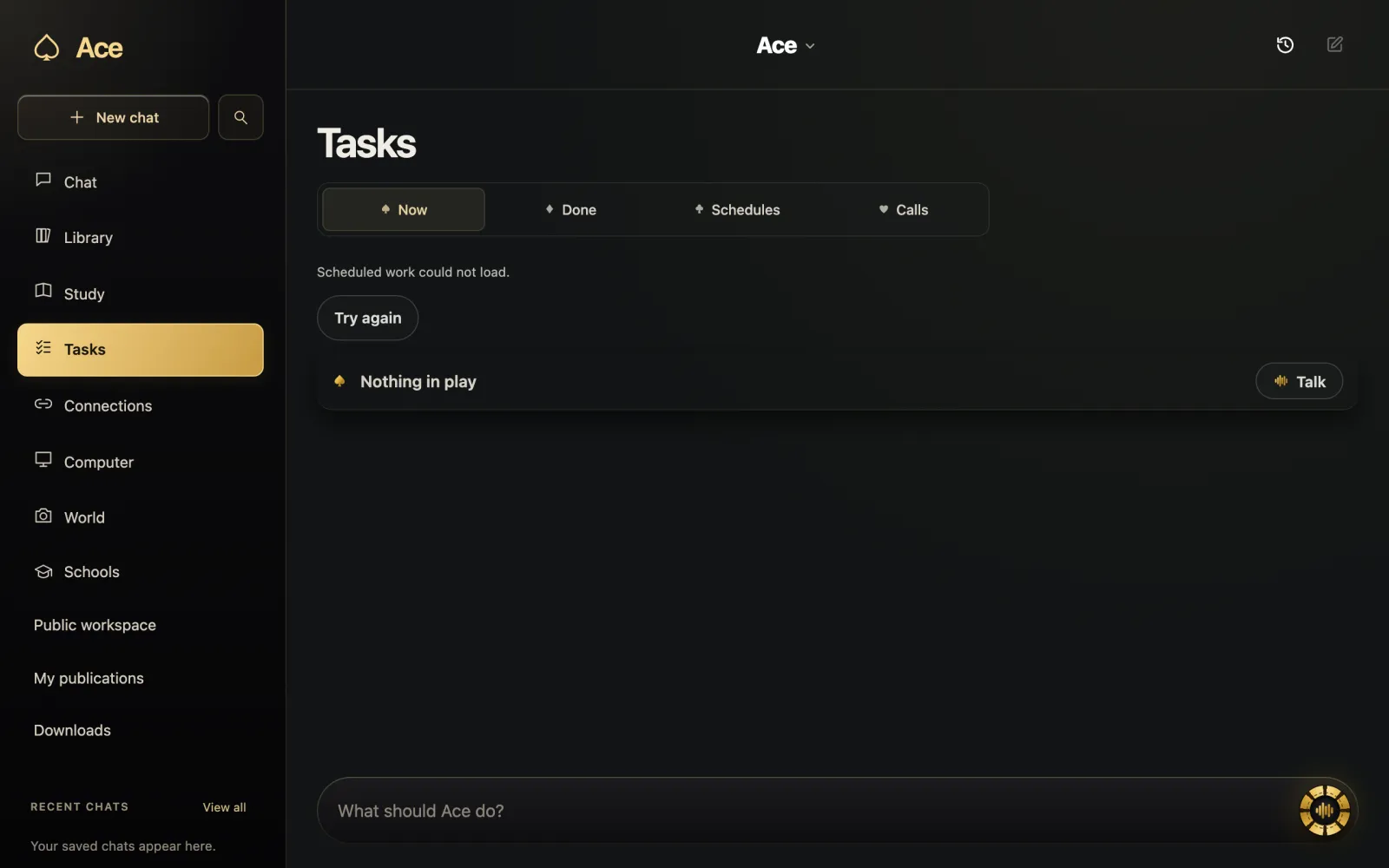
Tasks: now, done, scheduled
The Tasks area of Ace’s web workspace lists what is running now, what is done, your schedules and calls, with a composer for telling Ace what to do next. A scheduled card runs on Ace’s server at the time you chose, even when your phone is off, using the apps you connected. Some cards can send email on your behalf, so read what a card will do before you save it. You can switch a schedule off or delete it whenever you like, and deleting your Ace account removes your schedules within 7 days.
Messages and emails you start from the app work differently: Ace prepares a draft, and you review it and send it yourself.
Pairing your computer
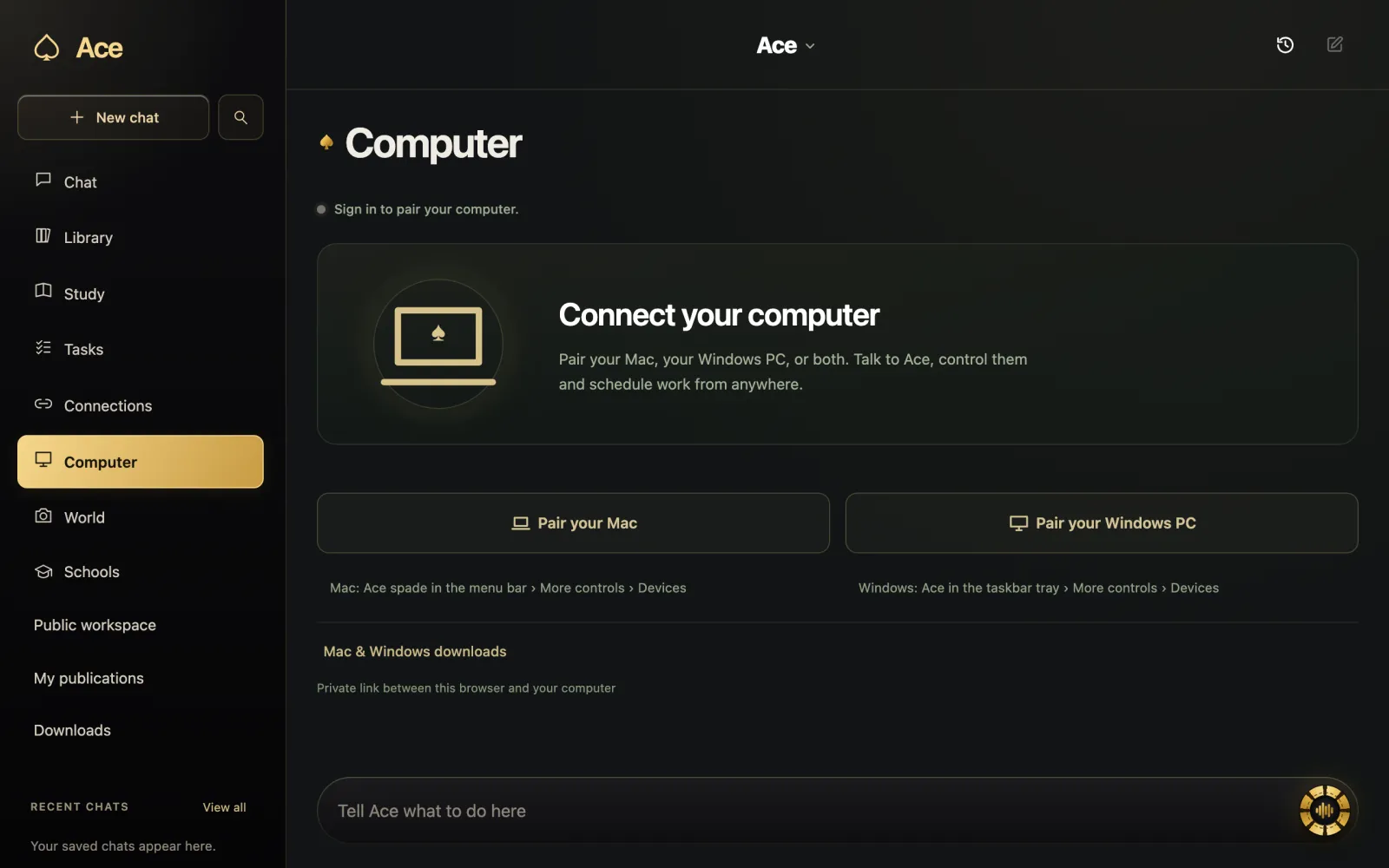
Computer, in the same workspace, pairs your Mac or Windows PC with your account so you can talk to Ace and hand it work from anywhere. Pairing uses device and connection records to route the tasks or screen context you choose to that computer, which is why the computer has to be on and running Ace. Local app records can stay on the computer, though Ace’s privacy policy is careful to add that local storage does not mean a hosted or connected AI request stays there.
To pair an iPhone with a Mac, Ace’s support page has you show a pairing code in Ace on the Mac and scan it from the iPhone app, or type the six-digit code when both are on the same Wi-Fi.
Acting in apps on the computer
On the computer itself, Ace works with the tools available there: opening an app, working on a file, reading a chart. That needs app control, a permission separate from the microphone and the screen, which you can leave off. The Mac release notes list computer control among Ace’s features, and the current Windows build keeps native automation alongside a hosted task runtime.
Other assistants draw the line in different places. OpenAI lists Computer Use for ChatGPT on macOS and Windows, and Microsoft describes Copilot’s Cowork as taking a multi-step project and coming back with finished files. Whichever you use, start with tasks whose results you can check.
Triggers and webhooks
For people who build their own workflows, Ace can watch events in connected apps, such as a new payment, a new issue or a new message, or accept webhooks from any service, and forward each event, signed, to an address you own. It keeps the last 50 events per trigger and tries each delivery three times. Your handler should check the signature, which arrives in an x-ace-signature header alongside an x-ace-timestamp header, before it trusts the body.
Guardrails worth keeping
- Begin with read-only tasks, such as summaries, before any task that sends something.
- Keep sending steps as drafts you approve, at least until you trust the task.
- Connect only the apps a task needs, and disconnect the rest whenever you choose.
- Check the activity list, which shows the last 25 actions run with your keys, through MCP or on the site.
- Revoke any key that might have leaked.
More from Ace
The full overview of Ace for your PC is on tryacee.com/ai-for-pc.
Also asked
Do scheduled tasks run when my computer is off?
Scheduled cards run on Ace’s server at the time you chose, even when your phone is off, using the apps you connected. Anything that needs your computer’s screen or files needs that computer on, paired and running Ace.
Can the assistant send email without asking me?
Some scheduled cards you choose can send email on your behalf. Email and message actions you start in the app prepare a draft for you to review and send.
How do I stop a scheduled task?
Switch the schedule off or delete it in Tasks at any time.
What does pairing my computer share?
Device and connection records, which Ace uses to route the tasks or screen context you choose to the paired computer.