Connectors and MCP for a desktop AI assistant
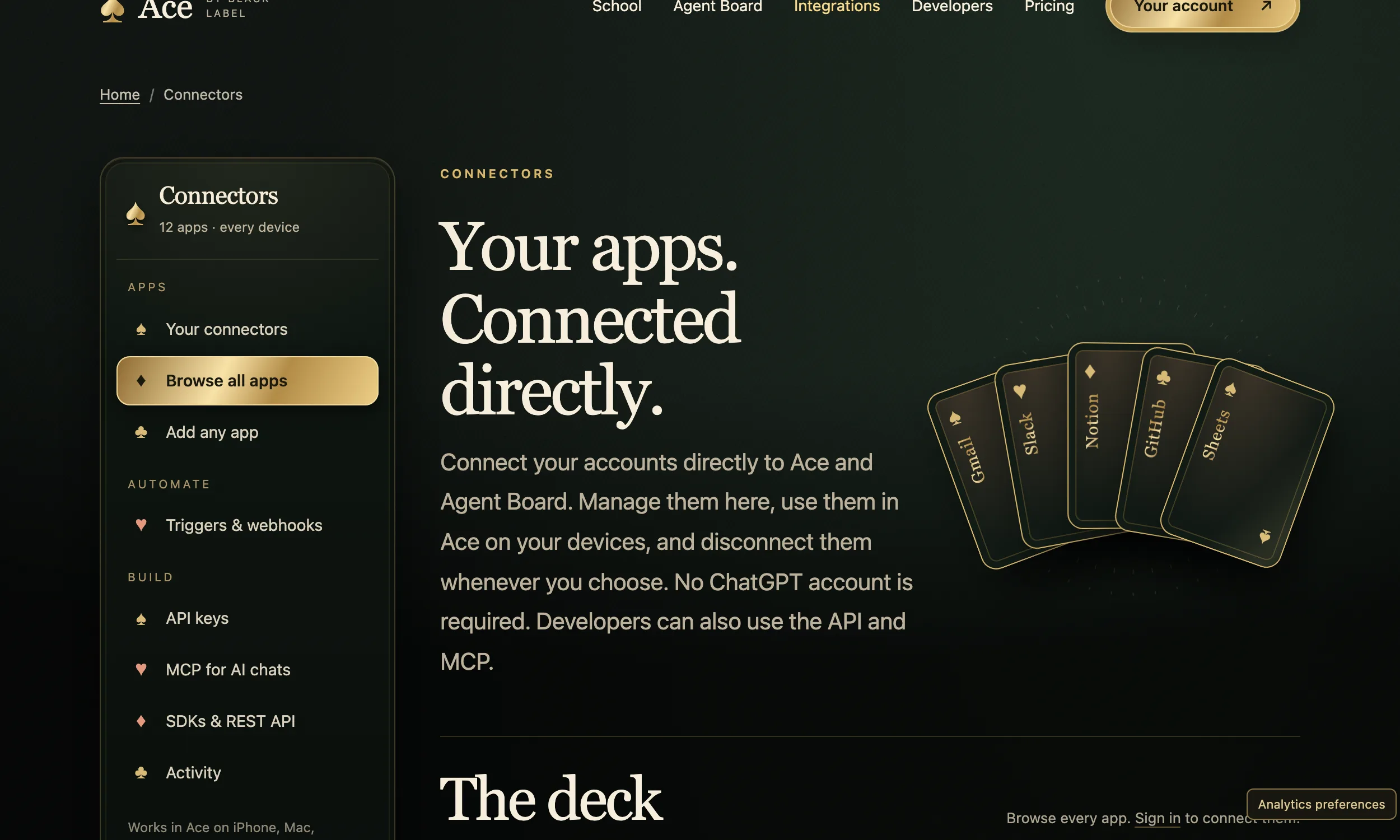
Connectors let an assistant read and act in apps such as Gmail, Slack, Notion, GitHub and Google Sheets. Ace’s are set up once on its Integrations page and then work in Ace on iPhone, Mac, Windows and the web, in other AI chats through Ace’s MCP server, and through its API. You can disconnect any of them whenever you choose.
Free Play: 2,000 credits, no card. Ace by Black Label.
♠A
♠
What a connector actually grants
Connecting an app gives the assistant permission to use that app’s API on your behalf. With Google, Google itself shows the permissions requested before you agree. Ace’s privacy policy spells out what each Google connection can do:
- Gmail: read messages and prepare drafts, or send email you confirm.
- Google Calendar: list calendars, and read or create events.
- Google Drive: find and read files.
- Google Sheets: read and update cells.
Ace stores the authorization tokens encrypted in its Cloudflare-hosted backend. Disconnecting a Google account in Ace removes the stored connection and tokens, and you can also revoke access from your Google Account settings. Disconnecting does not undo an email already sent or an event already created. Connecting an account does not by itself send its contents to an AI provider; content goes along only when a request needs it.
MCP in plain terms
The Model Context Protocol is an open-source standard for connecting AI applications to outside systems: data sources such as files and databases, tools, and workflows. Its documentation compares it to a USB-C port for AI applications, and Claude, ChatGPT, Visual Studio Code and Cursor all support it.
Ace runs a remote MCP server, so any MCP client can use the apps you connected in Ace. The server offers six tools: search_apps, connect_app, list_connections, find_tools, get_tool and run_tool.
Add Ace to another AI app
Every setup uses an Ace key, made on the Integrations page while you are signed in. The server address is https://tryacee.com/mcp with your key sent as a Bearer authorization header, and for apps that accept only an address there is a form of the link that carries the key itself. The menu names below come from each maker’s current help pages and do change.
Claude
Anthropic’s steps: open Customize > Connectors, click + Add, choose Add custom connector, enter a name and the server address, then choose an authentication option; No sign in suits a link that already holds your key. Custom connectors are available on the Free, Pro, Max, Team and Enterprise plans, with Free limited to one, and Claude reaches the server from Anthropic’s cloud rather than from your computer.
ChatGPT
OpenAI’s steps, in ChatGPT on the web: open the Plugins page, click the plus button, choose Add custom MCP server, enter a name and the server address, select No authentication for a link that holds your key, review the risk warning, then choose Create as a plugin and install it before use. Workspace permissions can restrict this.
Claude Code, Cursor and VS Code
In Claude Code, run claude mcp add with --transport http, a name, the address and a --header carrying your Bearer key. Cursor reads servers from an mcp.json file in a .cursor folder, in a project or in your home folder, under mcpServers. VS Code still reads a workspace file at .vscode/mcp.json, under servers. Ace’s Integrations page has a copy-ready version for each.
Keys and what they can do
An Ace key acts as your account, so treat it like a password. When you make one, you choose its permissions:
- Read: list apps, connections and tools.
- Connect: make sign-in links and disconnect apps.
- Run: act in connected apps.
The key is shown once; Ace keeps only a fingerprint and cannot show it to you again. You can revoke a key at any time, and a link that contains your key is exactly as sensitive as the key.
Bring an app that is not listed
If a company offers an MCP server, or a REST API described by an OpenAPI or Swagger spec, you can add it yourself by pasting its address and your own key for that service. Ace checks that it works, stores the key encrypted, and only your account can use it: in Ace, in MCP chats and through the API.
For developers: the API and SDKs
- A REST API at https://tryacee.com/api/v1, JSON in and out, authorized with a Bearer key, limited to 120 requests a minute per key, with the full spec at /openapi.json.
- SDKs for JavaScript and Python with no dependencies; the JavaScript one runs in Node 18 or later, Deno, Bun, Workers and browsers.
- tools.definitions() returns OpenAI or Anthropic tool definitions, so your own model can call connected apps and hand its tool calls back to tools.run().
- Triggers forward events from connected apps to your own webhook address, signed.
A short safety checklist
- Connect only the apps you will use, and disconnect the rest.
- Use a key with Read permission alone wherever you only need to look things up.
- Never paste an MCP link that contains a key into a shared document or chat.
- Revoke a key the moment you think it has leaked.
- Add only MCP servers you trust. Anthropic and OpenAI both say so, and OpenAI warns that an untrusted server could see shared information or trick ChatGPT into tool calls you did not intend.
More from Ace
The full overview of Ace for your PC is on tryacee.com/ai-for-pc.
Also asked
Do I need a ChatGPT account to use Ace’s connectors?
No. Ace’s Integrations page says no ChatGPT account is required; the connectors work inside Ace itself.
Which apps can I connect?
The Integrations page shows Gmail, Slack, Notion, GitHub and Sheets up front and lets you search the full catalog once you sign in. Google Drive, Stripe and HubSpot have their own integration pages.
Does connecting Gmail send my whole inbox to an AI?
No. Ace’s privacy policy says connecting an account does not by itself send its contents to an AI provider; content is included only when your request needs it.
What happens if my key leaks?
Revoke it on the Integrations page. Anyone with the key, or with a link that contains it, can act as your account until you do.